Connect Notion
Authorize access to the Notion workspace and the pages you want to make available for sharing.
Your workspace · your authorization productive club
A PRODUCTIVE CLUB CONNECTION
Choose a page from your authorized Notion workspace, select a Slack channel, and send the content when your team needs it.
You choose the page. You choose the channel. You decide when to share.
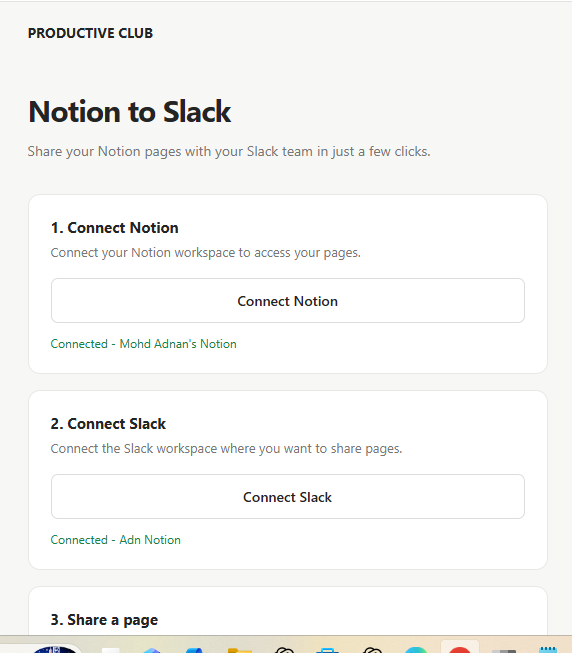
NotionChoose an authorized page
SlackChoose the destination channel
Share when readySend the selected page content
A SIMPLE, USER-CHOSEN FLOW
Connect both workspaces, select the information you want to share, and send it to the channel you choose.
Authorize access to the Notion workspace and the pages you want to make available for sharing.
Your workspace · your authorizationConnect the Slack workspace where you want to share selected Notion content.
Choose the workspaceChoose a Notion page, select a Slack channel, review your choice, then send.
A deliberate share, when you decideMADE FOR CLEAR HANDOFFS
Useful when a project brief, process page, or team reference lives in Notion but needs to reach people working in Slack.
Pick the Notion content that is relevant to the moment instead of copying and pasting it into a separate message.
Send to the Slack channel you select, so the information reaches the conversation your team already uses.
This connection shares a page when you choose to send it. It is not presented as continuous two-way sync or automatic background posting.
ACCESS, PRIVACY & SUPPORT
Review the access requested during setup. Only share Notion content you’re authorized to send, and confirm that the selected Slack channel is the right destination.
You can revoke the connection through your Notion or Slack account settings. For help, privacy questions, or data requests, contact Productive Club.
READY TO CONNECT YOUR WORKSPACES?
Connect your accounts, choose a page and channel, and send when you’re ready.